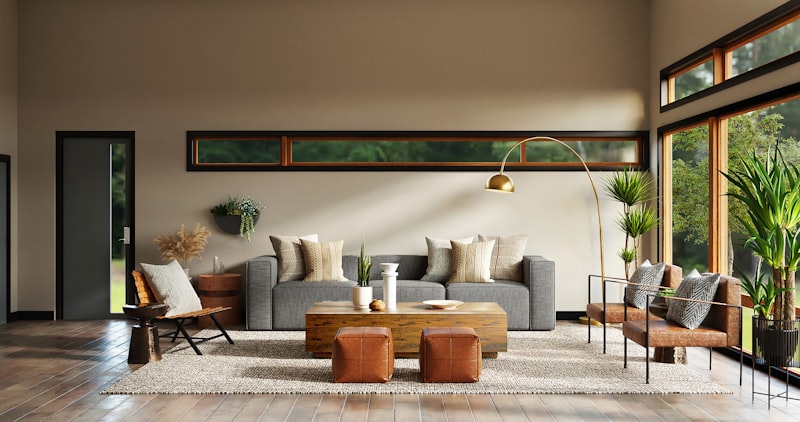
AI interior design tools have made professional-quality room visualization accessible to anyone with a smartphone, eliminating the need for expensive consultations and complex design software. In 2026, apps like RoomGPT, Planner 5D, and Homestyler can generate photorealistic redesigns of your actual rooms in seconds, letting you test different furniture layouts, color schemes, and decor styles before spending a single dollar. The global virtual interior design market is expected to reach $8.9 billion by 2027, driven by homeowners who want to visualize renovations before committing and renters looking for affordable ways to transform their spaces. According to a 2026 Houzz survey, 68% of homeowners now use digital visualization before starting a renovation project. This guide covers the best tools, how to use them effectively, and how to turn AI design skills into a profitable side income.
Best AI Interior Design Apps: Detailed Comparison
AI interior design tools have transformed from simple photo filters into sophisticated design platforms that can completely reimagine your living space. The best tools in 2026 combine computer vision, depth estimation, and furniture databases to produce photorealistic renders that show you exactly what a redesigned room will look like before you spend a single dollar. Here is an updated comparison of the top platforms, including pricing and real-world performance.
- RoomGPT (Free tier, $9/month Pro): Upload a photo of any room and generate redesigned versions in multiple styles. The free tier allows 3 generations per day. Pro adds HD output, 20 plus design styles including Bohemian and Japandi, and side-by-side comparison tools. Most popular for quick room makeovers with minimal learning curve. RoomGPT now includes a shopping integration that links directly to IKEA, Target, and Amazon product pages for recommended furniture.
- Planner 5D (Free, $9.99/month Premium): Full 2D and 3D room planner with AI-assisted furniture placement. Premium unlocks photorealistic rendering and a furniture catalog with over 5,000 items from real brands. Best for detailed floor planning where precise measurements matter. The AI suggests optimal layouts based on room dimensions and traffic flow. Planner 5D recently added augmented reality features that let you view proposed designs through your phone camera in real time.
- Homestyler (Free, $14.99/month Pro): Developed by former Autodesk engineers. Creates photorealistic 3D renders from a simple room photo using advanced depth estimation. Pro includes furniture recommendations with direct purchase links and contractor-ready floor plans. Strong for visualizing large renovations like kitchen remodels. Homestyler now supports multi-room projects, allowing you to redesign an entire floor plan in one session.
- Collov AI (Free tier, $7.99/month): Specializes in complete room redesigns with realistic furniture placement. The AI identifies your existing furniture and suggests complementary pieces that fit your budget. The "Shop the Look" feature provides direct purchase links for every recommended item. Collov AI recently partnered with Wayfair for exclusive discounts on recommended products.
- IKEA Kreativ (Free with IKEA account): Scan your room with your phone, then virtually place IKEA furniture in the exact space. Free for IKEA product visualization. The 3D scanning feature creates an accurate model of your room that you can furnish with any IKEA product. IKEA now offers a design consultation service where professional designers review your AI-generated layouts and provide feedback for $49 per session.
How to Get the Best Results from AI Design Tools
The quality of AI-generated room designs depends heavily on the input photos you provide. Follow these guidelines to get the most accurate and useful results from any AI interior design tool.
- Lighting matters most: Take photos during daylight hours with all room lights on. Avoid heavy shadows. Well-lit rooms produce dramatically more accurate redesigns because the AI can clearly see wall colors, floor textures, and existing furniture details. Natural light from windows helps the AI understand room orientation and dimension.
- Shoot from corners: Capture the room from multiple angles, especially corners and doorways. Wide-angle shots give the AI more spatial information to work with. Stand in the far corner of the room and capture the widest view possible. Include at least one photo that shows the ceiling and one that shows the floor.
- Declutter first: Remove piles of laundry, dishes, and miscellaneous clutter from the photo. The AI works best with clear views of floors, walls, and existing furniture. Temporary items like fans and space heaters should be removed before photographing. A clean room gives the AI a better canvas for redesign suggestions.
- Include reference points: Keep windows, doors, and architectural features visible. These help the AI understand the room proportions and natural light sources. Do not crop out ceiling fans, light fixtures, or built-in shelving as these provide context for the redesign.
- Specify your budget: Many tools allow you to set a budget range. RoomGPT and Collov AI will suggest furniture and decor within your price range, complete with purchase links from retailers like IKEA, Target, and Amazon. This prevents the frustration of falling in love with a design you cannot afford.
Why AI Interior Design Is Booming in 2026
The AI interior design market has reached $2.8 billion in 2026, growing at 45% annually. Three factors drive this explosion. First, housing costs have pushed Americans into smaller spaces that require creative design solutions. The average new apartment size dropped to 750 square feet in 2026, down from 950 in 2020. Second, remote work has created demand for home offices that double as living spaces. Third, the rise of short-term rental platforms like Airbnb has motivated property owners to maximize visual appeal on a budget. AI design tools let anyone create magazine-quality room designs without hiring a professional interior designer, who typically charges $75 to $200 per hour. A 2026 survey by Houzz found that 38% of homeowners now use AI tools before starting any renovation project, up from just 8% in 2024.
AI Interior Design for Renters: Transform Without Renovating
Renters face unique challenges because they cannot make permanent changes to their space. AI design tools are particularly valuable for renters because they let you visualize non-permanent transformations before purchasing anything.
- Removable wallpaper visualization: Use RoomGPT to preview peel-and-stick wallpaper on your walls before purchasing. This costs $15 to $30 per roll and transforms a room completely. Brands like Tempaper and Chasing Paper offer hundreds of patterns that remove cleanly without damaging paint. The AI shows you exactly how different patterns will look on your specific walls.
- Furniture arrangement testing: Planner 5D lets you rearrange existing furniture in 3D before moving heavy pieces. Many users discover better layouts without buying anything new. Simply rotating a sofa 90 degrees or moving a bookshelf to a different wall can make a room feel completely different. The AI traffic flow analysis helps identify optimal placement.
- Lighting upgrades: AI tools consistently recommend floor lamps, string lights, and smart bulbs as high-impact, low-cost improvements. Philips Hue starter kits at $60 to $130 create dramatic ambiance changes with color-changing bulbs that you take with you when you move. Smart lighting is the single highest-impact, lowest-cost room transformation available to renters.
- Textile layering: Rugs, throw pillows, and curtains appear in nearly every AI-generated redesign. A $50 area rug and $30 in new pillow covers can make a room look completely different. The AI helps you choose color combinations that work together and complement your existing furniture.
- Gallery wall planning: Upload a photo of a blank wall and let the AI suggest gallery arrangements. Free tools like Canva frame templates help you execute the design with printed photos. The AI calculates optimal frame spacing and arrangement patterns based on your wall dimensions.
Starting an AI Interior Design Side Business
AI interior design has created a legitimate freelance opportunity for creative individuals. The barrier to entry is low, the tools are affordable, and demand is growing rapidly. Here is how to build a profitable side business.
- Offer virtual room makeovers on Fiverr: Charge $25 to $75 per room redesign. Use AI tools to generate 3 to 5 design options per room. Deliver within 24 hours. Top-rated sellers complete 50 plus orders per month, generating $1,250 to $3,750 in monthly revenue. Focus on building a strong portfolio with before-and-after examples.
- Create design packages: Bundle living room, bedroom, and kitchen redesigns for $150 to $200. Include shopping lists with direct links to affordable retailers. The shopping list adds significant value and can earn affiliate commissions on purchases. Amazon Associates pays 3% to 8% on furniture sales, adding passive income to every project.
- Specialize in a niche: Focus on small apartments, nurseries, home offices, or rental transformations. Niche specialists command higher prices and build faster followings on social media because their content appeals to a specific audience. Small apartment design is particularly in demand as urban living spaces continue shrinking.
- Partner with furniture retailers: Earn affiliate commissions by recommending specific products in your AI-generated designs. Amazon Associates pays 3% to 8% on furniture sales. Wayfair affiliate program offers similar rates. Some furniture companies offer direct partnership programs with 10% to 15% commissions for high-volume referrers.
- Build a portfolio on Instagram: Share before-and-after AI redesigns. Accounts focused on budget room transformations regularly gain 10,000 plus followers within 3 months, creating sponsorship and consultation opportunities. Post consistently with hashtags like #AIRedesign, #BudgetDecor, and #RoomMakeover to attract followers.
Frequently Asked Questions
How accurate are AI interior design tools compared to hiring a professional designer?
AI tools are excellent for initial visualization and budget planning but lack the spatial awareness and construction knowledge of professional designers. For simple room makeovers, AI tools provide 80% of the value at 5% of the cost. For complex renovations involving structural changes, plumbing, or electrical work, hire a professional. Many designers now use AI tools as part of their workflow, offering AI-generated concepts refined with professional expertise for $200 to $500 per room.
Can AI design tools work with oddly shaped rooms?
Most AI tools handle standard rectangular rooms well but may struggle with L-shaped rooms, rooms with alcoves, or spaces with unusual architectural features. Homestyler and Planner 5D handle non-standard layouts better than simpler tools because they use 3D scanning rather than flat photo analysis. For best results with odd rooms, take extra photos from unusual angles and include measurements in your description.
Do I need to pay for premium features to get useful results?
Free tiers are sufficient for initial exploration and basic visualization. Premium features become valuable when you want HD output for sharing on social media, shopping lists with purchase links, or detailed floor plans for contractors. For personal use, free tiers work well. For client work or social media content creation, the $8 to $15 monthly investment in premium features pays for itself quickly.
How do I know if recommended furniture will actually fit my space?
The best AI tools include dimension awareness features that scale furniture to your room proportions. Planner 5D and Homestyler are particularly accurate because they use 3D scanning to understand actual room dimensions. Always verify measurements before purchasing. Most furniture retailers list dimensions on their websites. Cross-reference the AI recommendation with actual product dimensions to ensure a proper fit.